Many people invest in an adjustable workstation with the expectation that it will instantly cure their chronic office aches. However, the transition often comes with a rude awakening: standing up can sometimes hurt worse than sitting down. If you end your day with throbbing heels, a stiff neck, or a burning sensation in your lower spine, your new desk is not broken. Your biomechanics are.
Standing is an active posture. It requires muscular engagement, balance, and a completely different set of ergonomic rules than sitting. When you fail to respect these rules, you subject your joints to intense, asymmetrical pressure.
This troubleshooting guide explores the physical reality behind standing fatigue. We will identify the specific errors that cause discomfort and provide actionable corrections so you can use your workstation to heal your body, rather than harm it.
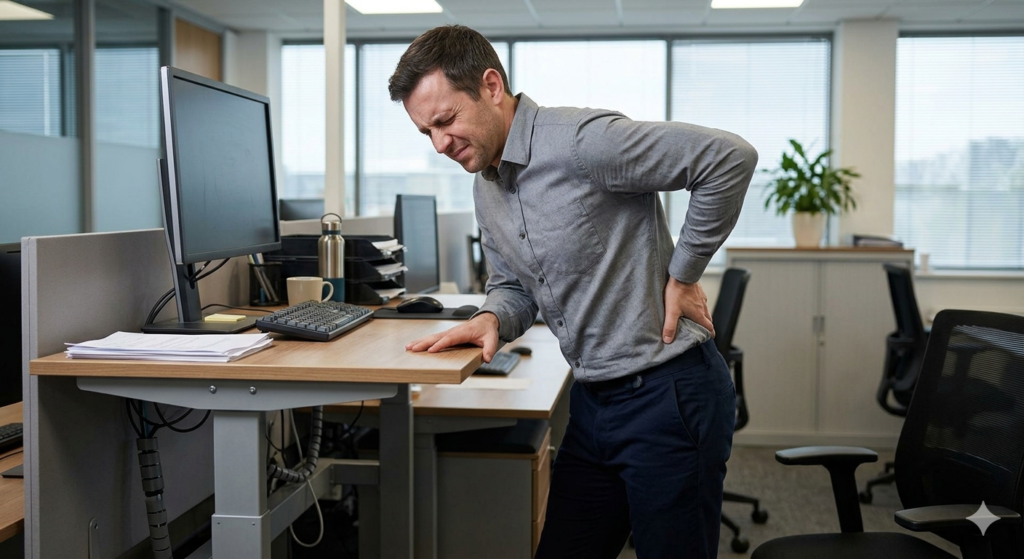
What Are Standing Desk Mistakes?
Standing desk mistakes are biomechanical errors, such as locking your knees or leaning unevenly, that occur when transitioning to an upright workstation. These errors break neutral posture, forcing the joints and spine to absorb unnatural loads, which quickly leads to acute back pain and fatigue.
To safely harness the benefits outlined in our foundational guide on The Complete Guide to Standing Desk Benefits and Transitioning, you must recognize and eliminate these five hazardous habits.
Mistake 1: Locking Knees and Pelvic Tilt
The most common and destructive habit new users develop is locking knees. When you stand for long periods, your leg muscles naturally tire. To give these muscles a break, you unconsciously push your knees backward until the joint physically locks into place.
While this requires less muscular energy, it drastically alters your skeletal alignment. Locking your knees forces your pelvis to tilt forward (anterior pelvic tilt). This creates a severe, exaggerated arch in your lower back. Over time, this compressed, hyper-extended curve pinches the lumbar nerves and exhausts the lower back muscles, leading to a deep, burning ache.
The Fix: Always maintain a “soft knee.” Your knees should be ever-so-slightly bent to keep the leg muscles engaged and your pelvis in a neutral, flat position.
Mistake 2: Leaning and Asymmetrical Weight
When you stand on two feet, your body weight is distributed evenly across your hips and spine. However, as fatigue sets in, the natural human tendency is to shift all of your weight onto one leg, often pushing one hip out to the side.
This is known as the “hip drop.” Leaning entirely on one leg causes your pelvis to tilt sideways. Your spine, which sits on top of your pelvis, must then curve sideways (like a scoliosis C-curve) to keep your head level. This asymmetrical loading crushes the spinal discs on one side while overstretching the muscles on the other.
The Fix: Stand with your feet shoulder-width apart and evenly distribute your weight. If you feel the urge to lean, it is a sign that your body is fatigued and it is time to lower the desk and sit down.
Mistake 3: Working in the Wrong Footwear (or Barefoot)
Human feet were not designed to stand perfectly still on concrete, hardwood, or thin carpet for hours at a time. The heel bone is built for walking and absorbing dynamic shock, not for bearing static loads.
Working in the wrong footwear—especially high heels, flat dress shoes, or completely barefoot—removes the necessary shock absorption from your kinetic chain. The hard impact of the floor travels directly up your shinbones and into your knees and lower back.
The Fix: Wear supportive, cushioned shoes when standing at your desk. Additionally, standing on a high-density, compressible surface drastically reduces the physical impact on your heel bones and encourages micro-movements in your calves, which helps pump blood back up to your heart.
Mistake 4: Forgetting to Adjust Screen Height
When you stand up, your posture changes. You naturally stand taller than you sit, which means your eye level shifts relative to the desk surface. A monitor height that was perfectly ergonomic while sitting will almost always be too low when standing.
If you fail to adjust your screen height, you will unconsciously look downward, dropping your chin to your chest. As discussed in our previous posture guides, this forward head carriage places 30 to 40 pounds of functional tension on your neck and upper back muscles.
The Fix: Mount your monitors on an adjustable arm. Every time you raise your desk to stand, you must physically tilt or raise your monitors slightly to ensure the top third of the screen remains exactly at eye level.
Mistake 5: Pushing Through the Pain
The final mistake is a mental one. Many individuals treat standing as an endurance sport, believing they must push through the pain to achieve health benefits.
As soon as your feet start to hurt, your posture will inevitably collapse. You will start locking your knees, leaning on the desk, or slouching your shoulders. Ignoring the onset of pain guarantees that you will reinforce poor biomechanics.
The Fix: Respect your limits. If you can only stand with perfect posture for 15 minutes, then your standing session is exactly 15 minutes long.
Conclusion
A height-adjustable workstation is an incredibly powerful tool for musculoskeletal health, but only if it is operated correctly. By consciously avoiding these five standing desk mistakes, you protect your spine from unnecessary wear and tear. Keep your knees soft, distribute your weight evenly, support your feet, adjust your monitors, and never push past your physical conditioning. Mastering these basics ensures that standing remains a pain-free, energizing part of your workday.
Frequently Asked Questions (FAQ)
Why does my lower back hurt when I use a standing desk?
Lower back pain at a standing desk is almost always caused by locking your knees, which forces an anterior pelvic tilt and compresses the lumbar spine. It can also be caused by standing for intervals that exceed your muscular endurance.
Is it bad to lean on the desk while standing?
Yes. Leaning heavily on the desk surface with your elbows pushes your shoulders up toward your ears and encourages you to slouch forward, completely defeating the postural benefits of standing upright.
Should I stand barefoot at my desk?
No, standing barefoot on hard floors for extended periods is not recommended. It leads to heel pain, plantar fasciitis, and joint fatigue. You should wear supportive shoes or stand on an anti-fatigue mat.
How do I stop locking my knees while standing?
You must consciously build the habit of keeping a “soft bend” in your knees. A helpful trick is to place one foot slightly in front of the other (a staggered stance) or place one foot on a small footrest. This mechanically prevents you from locking both knees simultaneously.